
Your first video
-
Open Translay. With the server running (
python run.py), the browser opens by itself athttp://127.0.0.1:8765. If it doesn’t, go to that address. The status in the header changes from «Conectando» (Connecting) to «En reposo» (Idle). -
Paste a link. With an empty library, «Traduce tu primer video» (Translate your first video) appears: paste a YouTube video link into the field and tap «Importar» (Import). Later you will do it with the «Importar» button in the header, or by pasting the link anywhere on the page.
-
Watch it enter the queue. The video appears on the home page, dimmed and with its status: «En cola · sin descargar» (Queued · not downloaded), then the download percentage, and then «Procesando» (Processing). The queue keeps working even if you close the tab.
-
Open it. Tap the thumbnail or «Ver» (Watch). If it is still downloading, it opens by itself when it finishes. When you open it, it moves to the front of the queue and is processed from where you are watching.
-
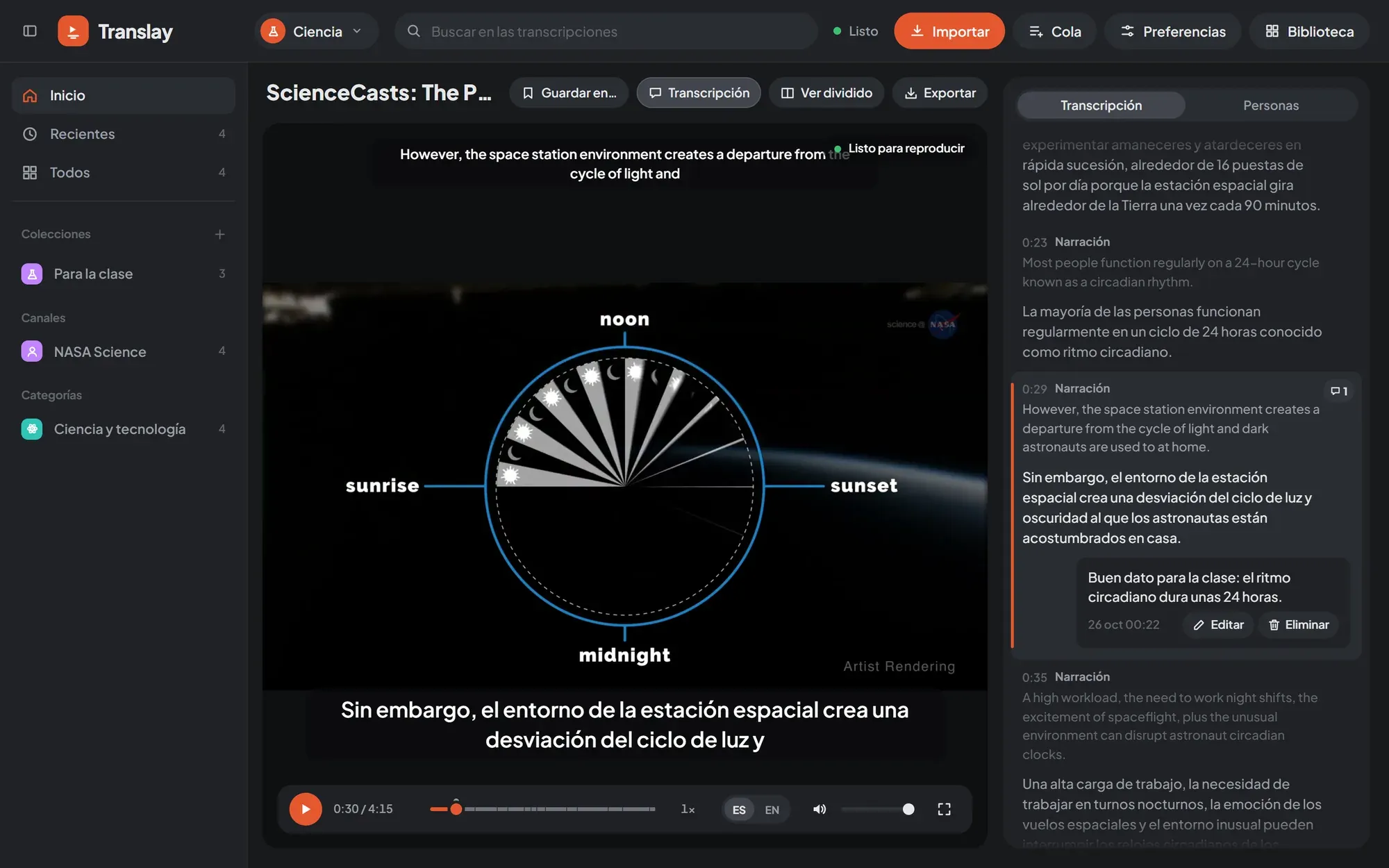
Wait until it’s ready. Over the video, «Preparando NN %» (Preparing NN%) shows how much is left before you can listen without interruptions. The first time, or after a while without use, it first says «Cargando modelos» (Loading models). When it reaches «Listo para reproducir» (Ready to play), the video starts by itself.
-
Listen to it in Spanish. It plays with each person’s voice in Spanish and the original in the background. ES / EN switches between the dub and the original, and the transcript on the side shows each sentence in both languages; clicking a sentence jumps to that moment.
Where to go next
Section titled “Where to go next”- Import: playlists, several links, a CSV or files from your machine.
- Player: controls, shortcuts and views.
- Transcript and people: comments and each person’s voice.
- Export: the dubbed video, the audio or the subtitles.