
Preferences
Preferencias (Preferences), in the header, opens its own screen: the sections on the left and, on the right, the page for the selected section, with its options grouped and a description of each. Yes/no options are switches; the rest are buttons to choose an option. Changes apply instantly, with no save button. Tapping Preferencias again takes you back to the video or the library.
They are saved on the server (data/prefs.json) and apply to all tabs and devices. Some belong to each library and are saved in it (see Libraries). Only the owner can change them.
The full table, with each option and its default value, is in the preferences reference.
Libraries
Section titled “Libraries”Bibliotecas (Libraries): your libraries as cards, with their folder: open them, edit them, change their pattern, remove them from the list or delete them. Abrir carpeta (Open folder) adds a folder that is already a library. All of this is explained in Libraries.
Appearance
Section titled “Appearance”Apariencia (Appearance). The Modo (Mode): light, dark or whatever your system uses. It belongs to each library, so you can have one light and another dark. With Color de cada biblioteca (Color of each library), buttons, progress and playback take the color of the open library.
Playback
Section titled “Playback”Reproducción (Playback). What happens when a video opens and when it ends: whether it starts on its own when ready, whether it continues with the next one in Siguientes (Up next), and whether it pauses when it reaches a part that doesn’t have a Spanish voice yet. Also the default view (expanded or split), when the “Listo para reproducir” (Ready to play) indicator is shown, and what to do with a link you import while watching another video. How each one behaves: Player and Import.
Audio and subtitles
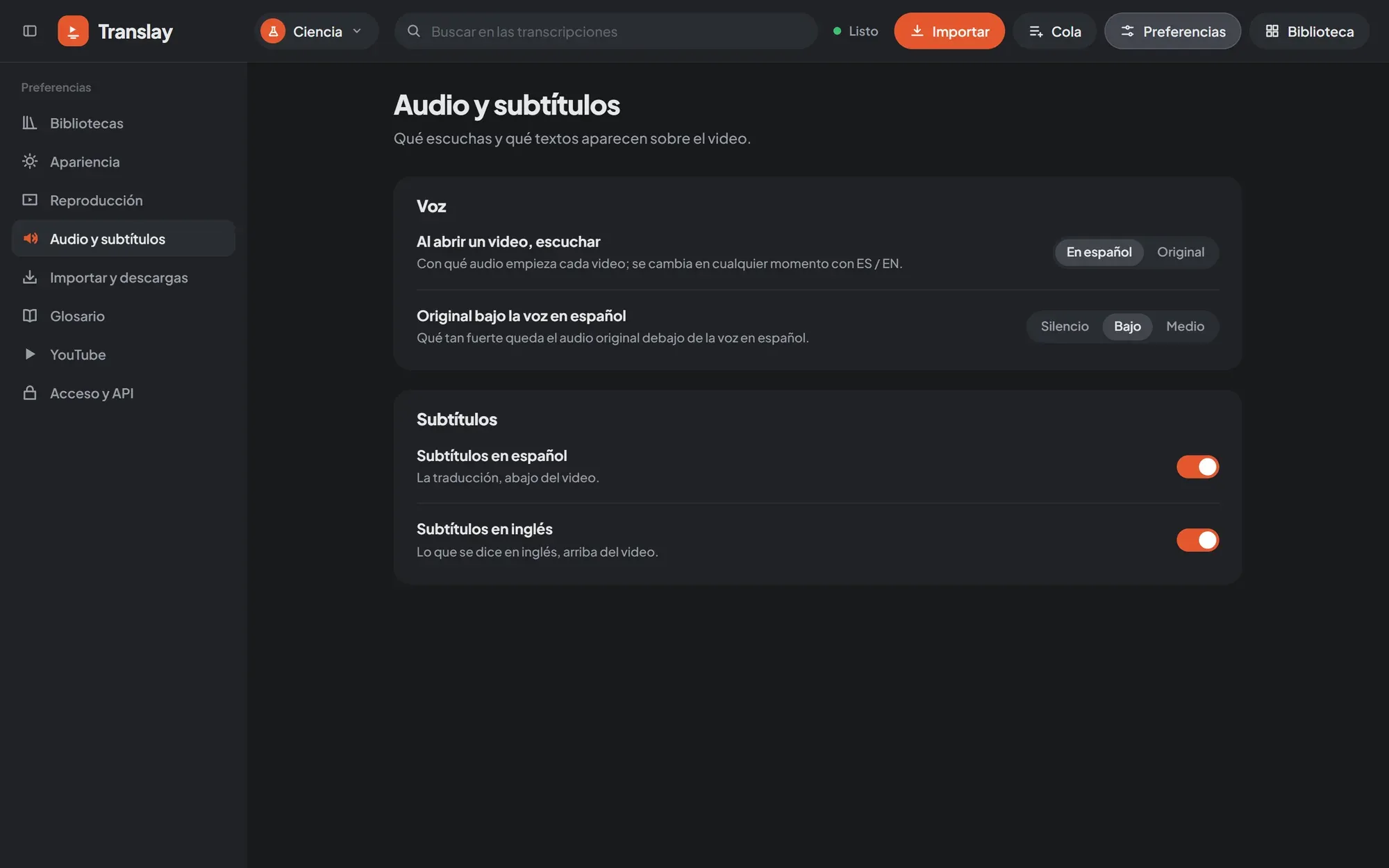
Section titled “Audio and subtitles”Audio y subtítulos (Audio and subtitles). Which audio each video starts with (Spanish or original; you switch later with ES / EN), how loud the original stays under the Spanish voice (silent, low or medium), and which subtitles are shown: Spanish at the bottom, English at the top, or none. The original’s level is also used when you export.
Import and downloads
Section titled “Import and downloads”Importar y descargas (Import and downloads). What is done with what you import (download and translate, or download only), what is downloaded (video and audio, or audio only), in what order downloads run (the queue’s or random), browser notifications, and whether channels appear in the library sidebar. Al importar (On import) and Qué descargar (What to download) belong to each library. Details in Import and Queue.
Glossary
Section titled “Glossary”Glosario (Glossary). Terms that are not translated or that are always translated the same way, specific to the open library. See Glossary and search.
YouTube
Section titled “YouTube”The session used to download: none, one from a browser, or a cookies.txt file, and the buttons to import it. See YouTube.
Access and API
Section titled “Access and API”Acceso y API (Access and API). Who gets in from other devices: the owner’s password, local network access, each library’s access (private, password-protected or public), API keys and webhooks. See Access, API and Webhooks.
Performance
Section titled “Performance”Rendimiento (Performance). Your machine, the model profile (automatic or the one you choose), VRAM, RAM and CPU limits, how long a video takes and warnings about why something is slow. See Performance.
Papelera (Trash). What was deleted in the last 30 days, to restore it or delete it forever. See Trash.
Desktop app
Section titled “Desktop app”App de escritorio (Desktop app). Only in the Windows app: what the window does when you close it (quit or stay in the tray), the Main library folder, and logs. See Desktop app.